Every measure.
Documented.
RateCaddy is a field documentation app for energy raters. Open a project, tap the camera on a measure, and the photo is already named, sorted, and counted. Blower door and duct leakage math, the ENERGY STAR Rater Field Checklist, scheduling, and PDF reports live in the same app. All of it works with no signal.

 Coming to the App Store and Google Play.
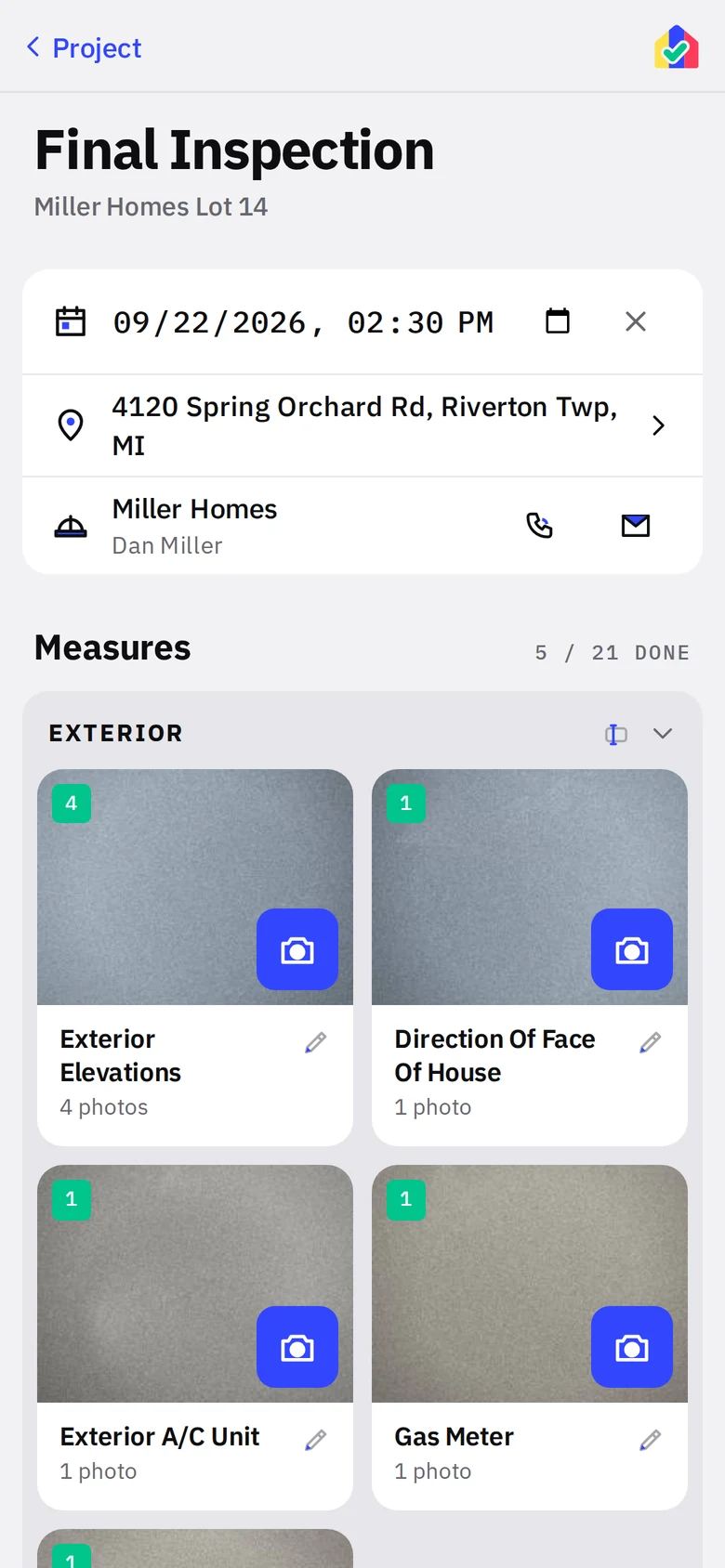
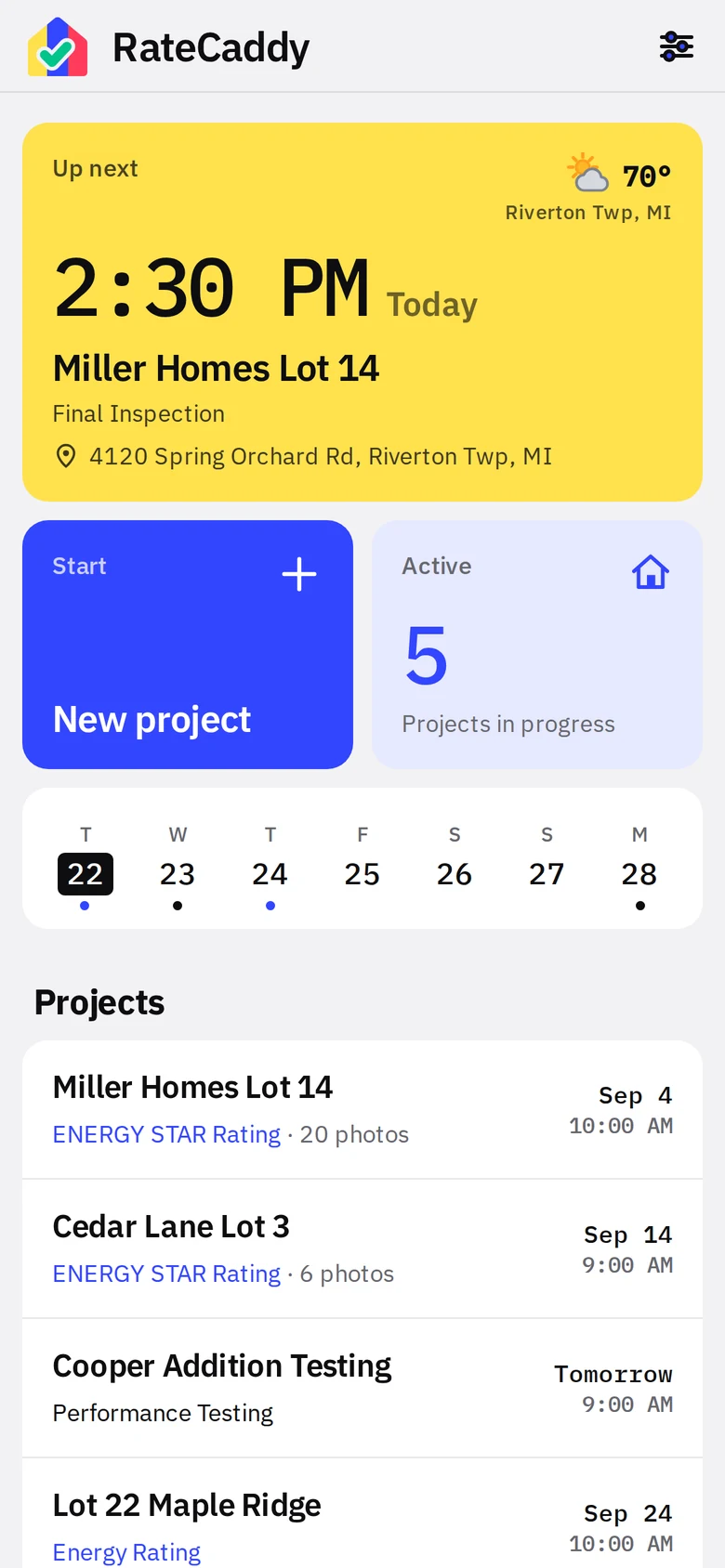
Three steps. That is the whole workflow.
RateCaddy replaces the camera roll, the notes app, and the folder of renamed JPEGs with one screen per stage.
Open the stage
A rating project has two stages, Pre-Drywall and Final Inspection. Each is a wall of tiles, one per measure, in the order you walk the house. Your own lists can have one visit or two, named by you.
Tap the blue camera
Shoot from the tile. The photo lands on that measure with a count badge, the tile turns green, and the next unshot tile is already marked.
Export
One tap builds a ZIP with a folder per stage and files named by measure, plus a notes PDF. Share it to email, Files, or your provider's portal.
How RateCaddy reads
Every color means exactly one thing, on every screen and on every report. You can read a project's state from across the truck.
Yellow is when
Your next stop, the week strip, the schedule, the test date on a report.
Blue is shoot
Camera buttons, photo counts, inspections. Tap anything blue to add photos.
Green is done
Tiles, inspections and tests turn green when complete or when the result passes.
Red needs attention
A failed test, a Must Correct item, or a delete. Red is never decoration.
What is in the app
Everything a rater does between the truck and the report. Each tile opens the detailed feature page.
The report is done when the test is
Enter readings on the test screen and the PDF is one tap. Your company name, address, logo and rater line print on every page. Pass or fail is a solid green or red band, the same grammar as the app.
See the reports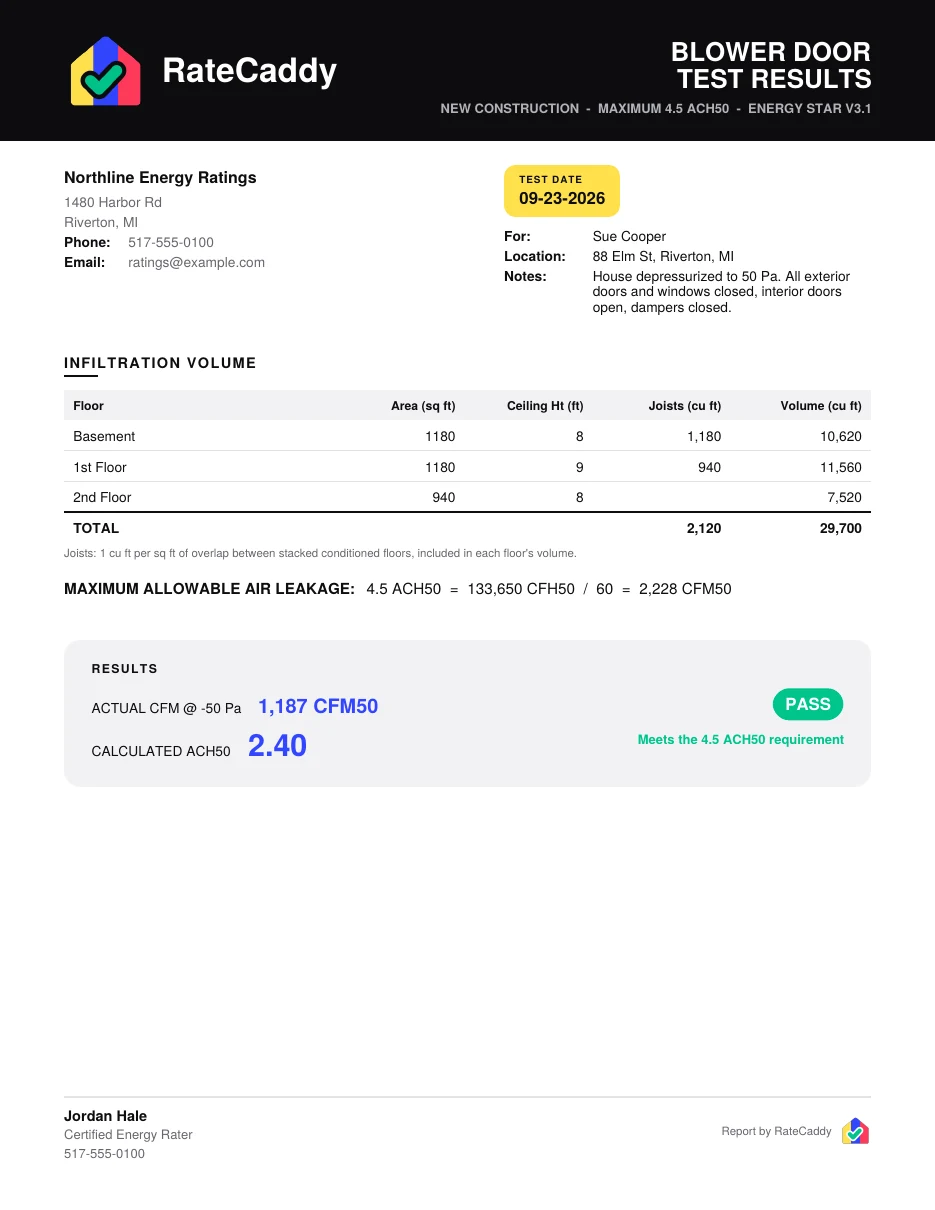 Blower door resultsVolume table, allowable CFM50, ACH50, pass band
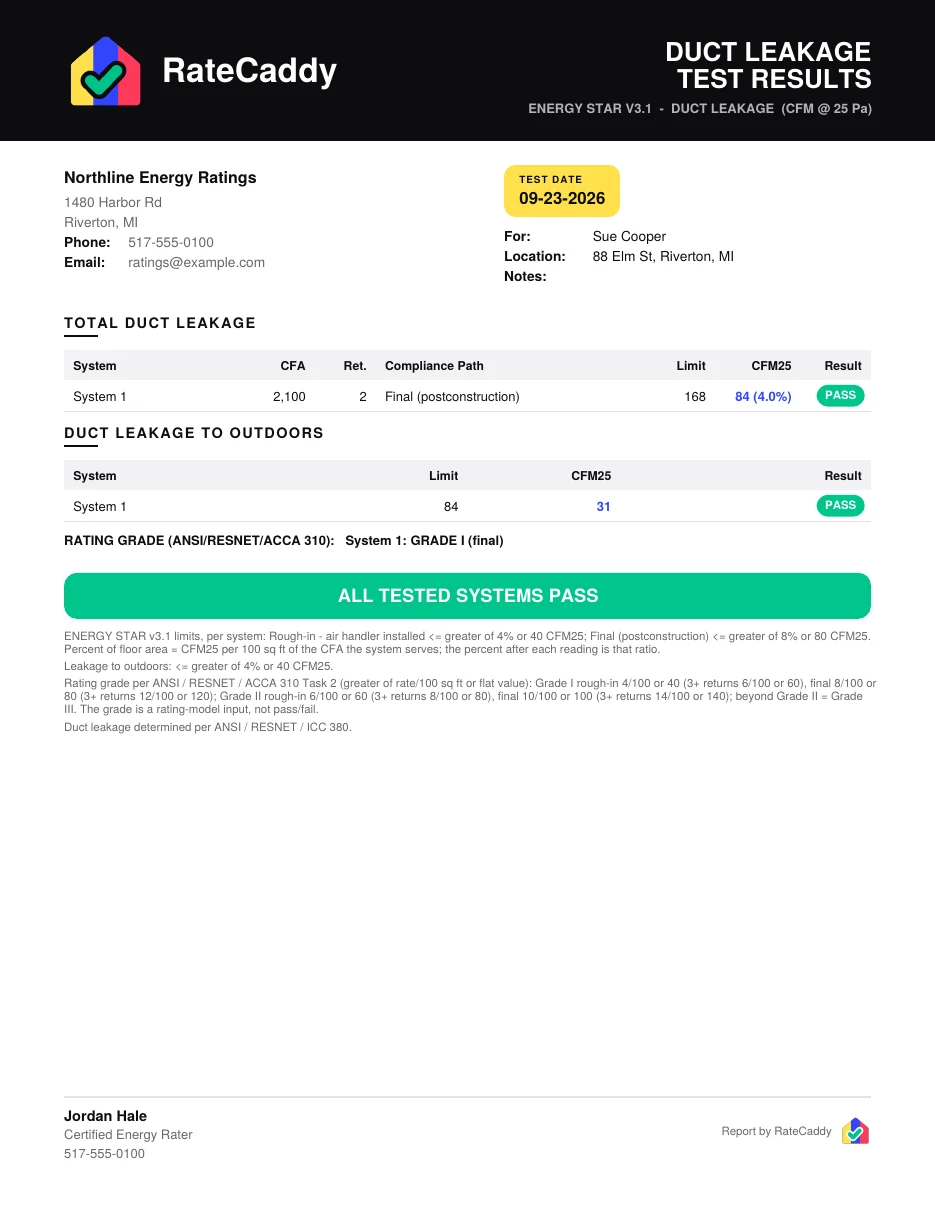 Duct leakage resultsPer system limits, outdoors, ANSI 310 grade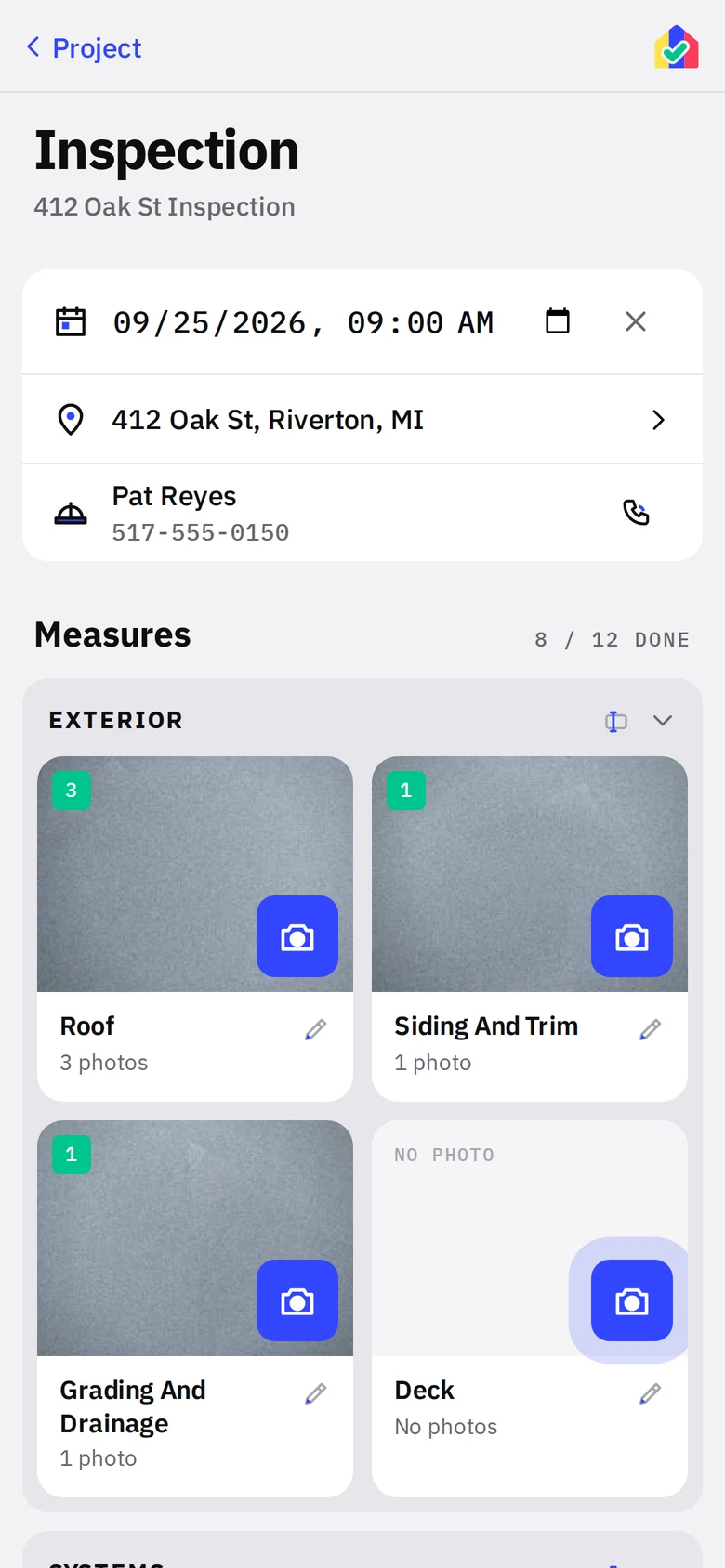
Any list. Any trade.
The measure list is yours to write, and so are its visits. Home inspectors, insulation crews, adjusters and property managers use the same photo wall with their own headings, their own visit names, and the list name as the project type. If the job is "photograph these twelve things and hand them off with notes," RateCaddy already does it.
See the use casesOne plan. The first month is free.
Billed by the App Store or Google Play with your store account. No account with us, no card to type, cancel in your store settings.
Free for the first month, then monthly until you cancel.
Free for the first month, then one charge a year. Over $59 less than paying monthly.
Unlimited projects, photos, tests, checklists and reports. Everything already on the phone stays readable and exportable if the subscription ends. One subscription per rater, tied to your store account.
Common questions
Does it work without cell service?
Yes, every feature. Everything the app needs ships inside it. Photos, tests, the checklist, reports and backups never touch a network. The only optional online feature is the weather chip, which is off by default.
Where are my photos stored?
On your phone, in the app's own database. They are not in your camera roll and they are not on a server. You get them out with the ZIP export per project or stage, or with a full backup from Settings.
Is this a rating tool or a replacement for my rating software?
Neither. RateCaddy documents the field visit: photos, notes, test readings and the checklist. It does the blower door and duct math so you know pass or fail on site, but the rating itself still happens in your rating software, and verification against the applicable standard is still yours.
Try it on your next inspection
Walk in with a phone. Walk out with the file. The first month is free on the App Store and Google Play.