Blower door and duct tests
Enter readings, get pass or fail on site, print the report. First set the code the tests are judged against.
1. Set your code requirements once
SettingsCode requirements. This is the default for every new test. Fresh installs start on ENERGY STAR v3.1. If you test to a state energy code, set it here so every report prints the right name and limits.
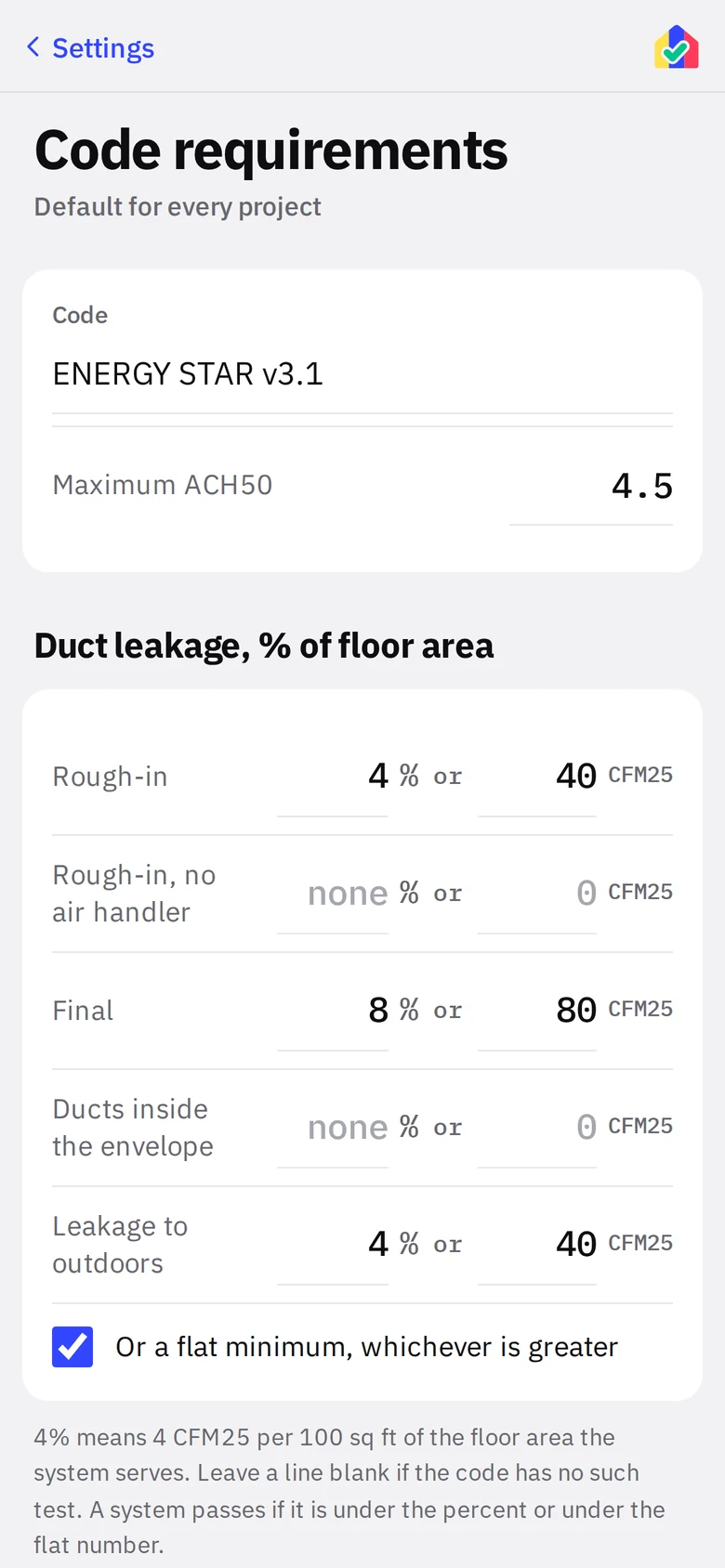
- 1Code namePrints on reports: "MAXIMUM 4 ACH50 - MICHIGAN ENERGY CODE".
- 2Maximum ACH50The blower door limit.
- 3Duct pathsFive lines as percent of the floor area the system serves. Leave a line blank if the code has no such test. The optional flat minimum applies "whichever is greater."
- 4Flat minimumShows the CFM25 floor per line (ENERGY STAR uses 40 and 80).
2. Blower door
Tests live on Performance Testing projects. Start one from New Project with Blower Door Test and Duct Leakage Test checked as needed, and give it the test date and time. With both tests checked the project screen holds that one appointment and a tile per test; with only one checked there is no project screen at all, and the test opens directly from the Projects list, Up Next and the Schedule, with the date, address and contact at the top and the project actions at the bottom. A rating project’s Final wall has photo tiles for the test setup and results, but the math is on the testing project.
- Check the date. On a two-test project it is on the project screen; on a one-off test it is at the top of the test. It goes on the schedule and the report.
- Pick the mode. New Construction computes ACH50 from the whole-house volume. Pre/Post Addition takes a pre-test CFM50, the addition’s floors, and a final CFM50, and passes if the final is at or under the pre-test plus the allowance for the added volume.
- Enter each floor: label, area, ceiling height. Add floors as needed. Joist space between stacked floors is added automatically; tap the joist line to exclude it for a slab-on-slab or open plan condition.
- Read the CFM50 limit off the black readout before you start the fan. That is the number to beat.
- Enter the actual CFM at 50 Pa. The readout gives ACH50 and PASS or FAIL.
- Add the manometer photo. Export the report.
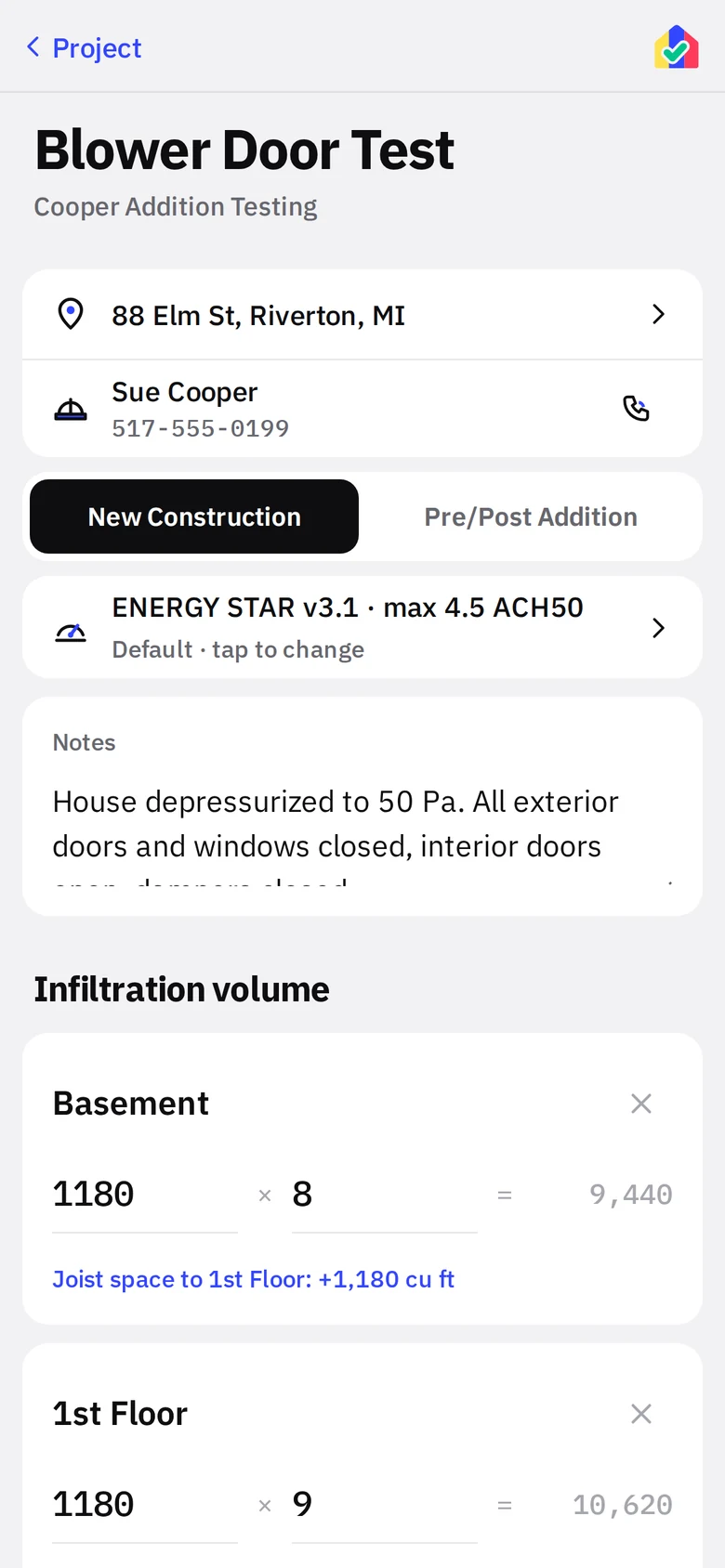
- 1Address and contactDirections, call and email without leaving the test.
- 2ModeblackNew Construction or Pre/Post Addition.
- 3Code in forceTap to override for this project.
- 4FloorArea times height. The gap line under it is the joist space to the next floor.
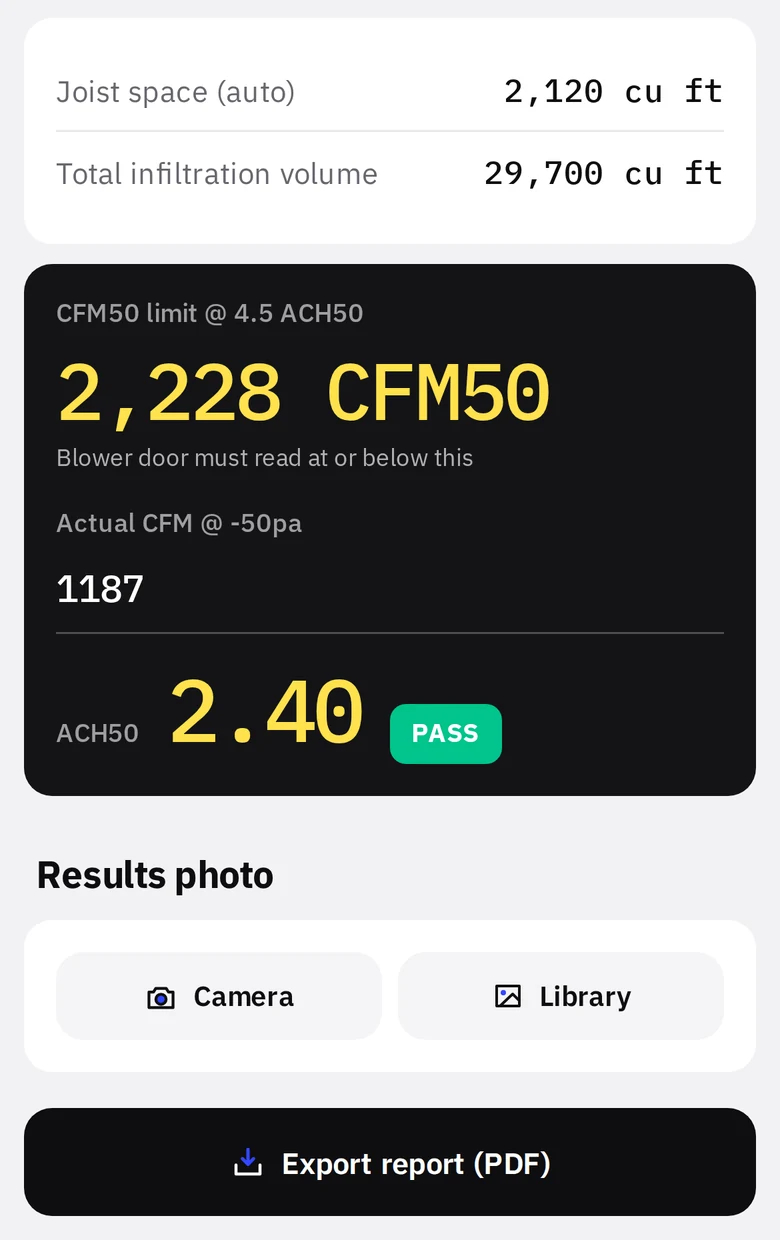
- 1ReadoutblackLimit, actual reading, ACH50, result.
- 2Results photobluePrints on the report.
- 3Export report (PDF)blackOpens the share sheet with the finished PDF.
3. Duct leakage
- Pick the standard: Energy Code (your code requirements) or ENERGY STAR (fixed program limits).
- For each system enter the conditioned floor area it serves and the number of returns. Under ENERGY STAR, three or more returns switches to the footnote 28 limits automatically.
- Pick the compliance path. The CFM25 limit for each path is printed beside it.
- Enter the measured total leakage. The readout returns percent of floor area, PASS or FAIL, and the ANSI 310 grade.
- Optionally enter leakage to outdoors. Under ENERGY STAR the app tells you when the outdoors test is waived.
- Add manometer photos, add more systems if the house has them, export.
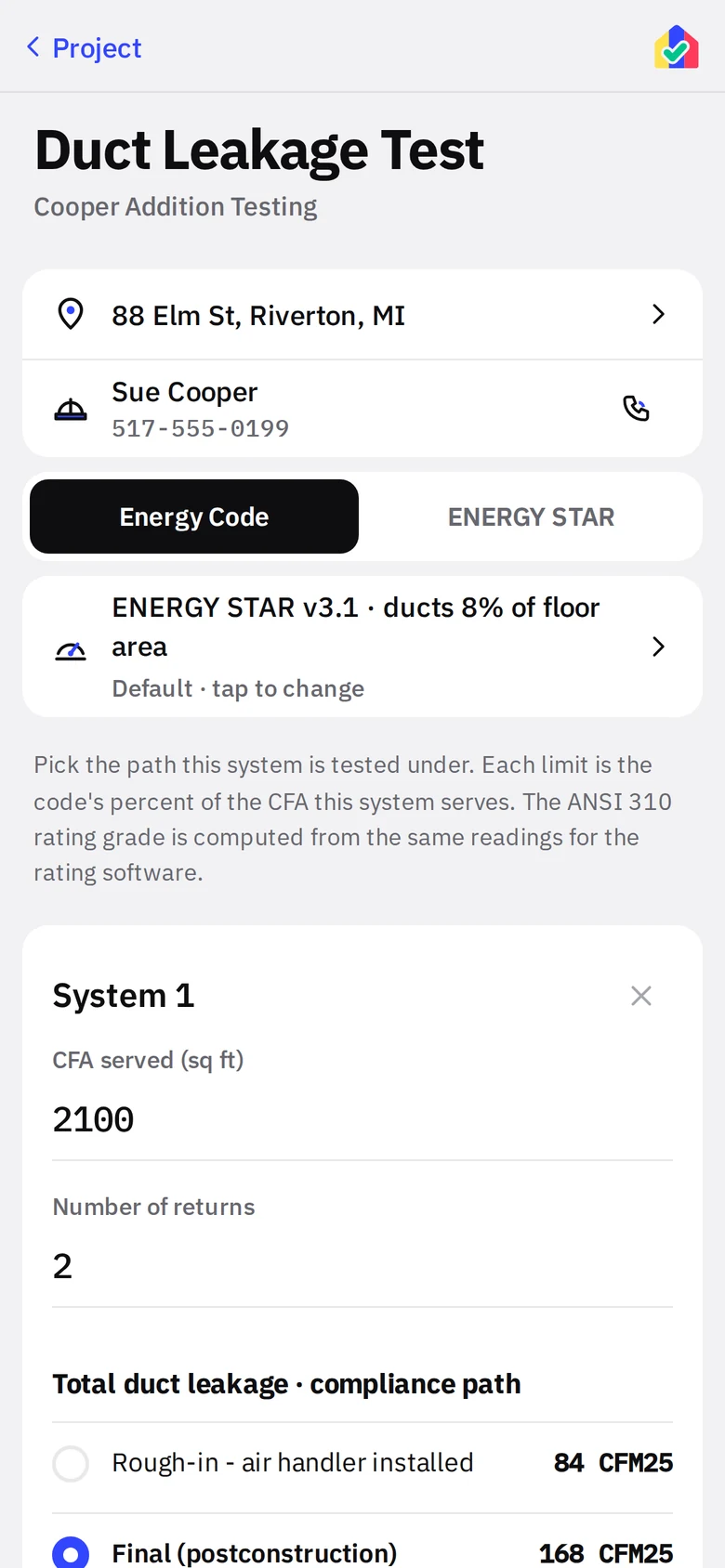
- 1StandardblackEnergy Code or ENERGY STAR.
- 2SystemFloor area, returns, path with limits.
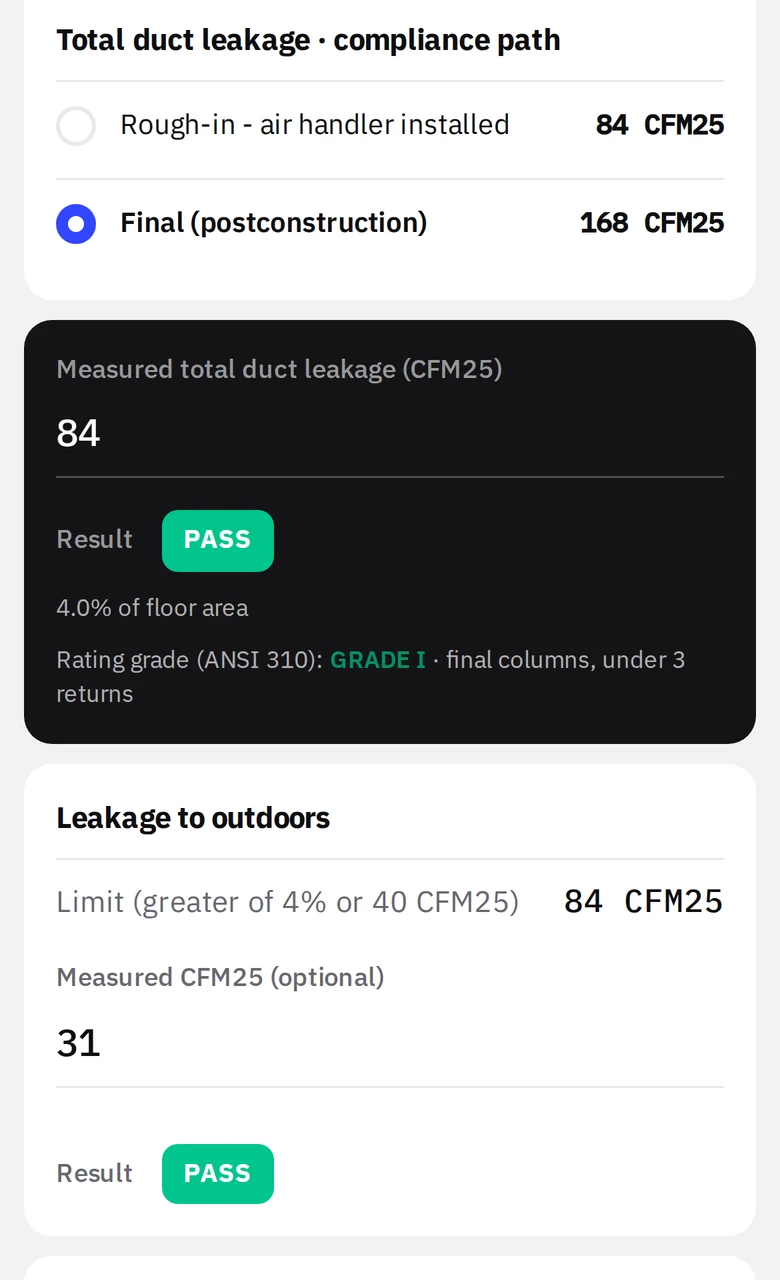
- 1Compliance pathLimits computed for this system’s floor area.
- 2ReadoutblackMeasured CFM25 in, result out.