Reports and export
Everything leaves the phone as a standard file: ZIPs of named photos and PDFs with your company on them.
1. Put your company on the reports
SettingsReport info. Company, two address lines, phone, email, rater name, a credential line ("Certified Energy Rater, ID 1234567"), a contact line and initials. Add a PNG logo and it replaces the RateCaddy mark at the top of every report; the rater block still prints in the footer of every page.
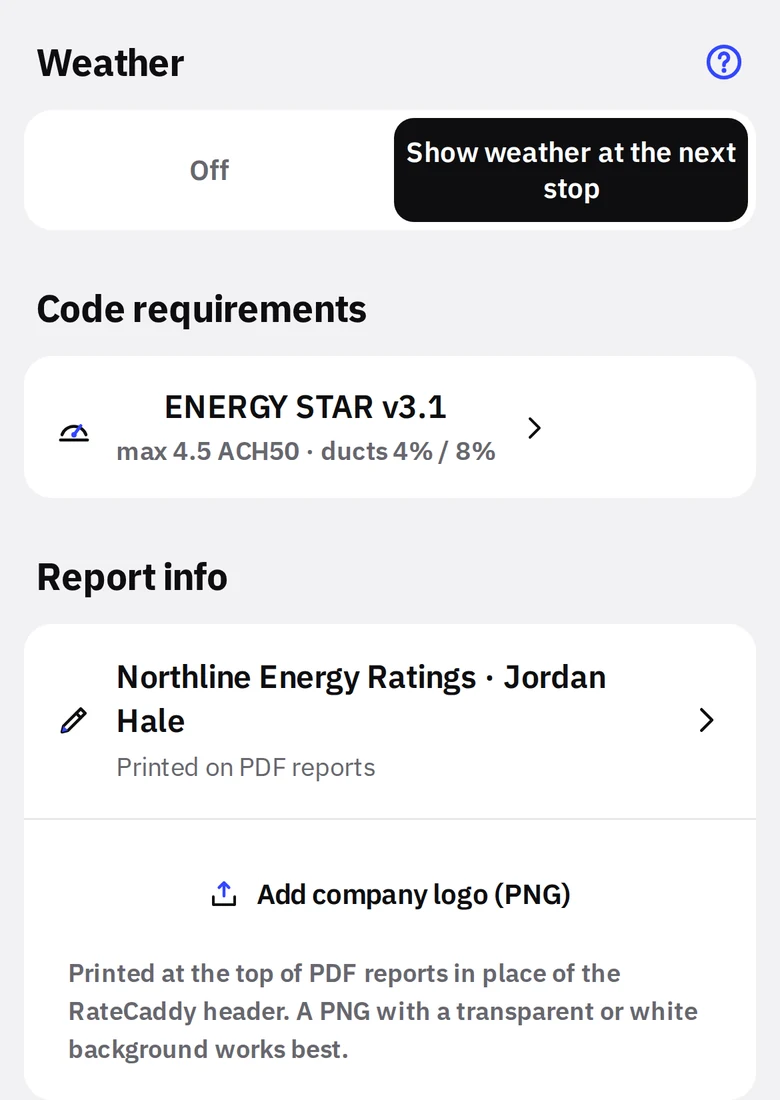
- 1Report infoTap to edit the fields.
- 2Company logo (PNG)Transparent or white background prints best.
2. Export photos
- Export entire project (ZIP) on the project screen: a folder per stage, every photo named by measure and numbered, ENERGY STAR item photos in their own folder, plus the notes PDF.
- Export [stage] (ZIP) at the bottom of a wall: that stage only, no folders, files named by measure.
Export opens the share sheet. Mail it, save to Files or iCloud Drive, AirDrop it, or drop it in Dropbox or Drive.
What the ZIP looks likeMiller_Homes_Lot_14.zip
Pre-Drywall/ABOVE_GROUND_WALLS_1.jpg
Pre-Drywall/ABOVE_GROUND_WALLS_2.jpg
Pre-Drywall/RIM_JOIST_1.jpg
Final_Inspection/EXTERIOR_ELEVATIONS_1.jpg
Final_Inspection/GAS_METER_1.jpg
Energy Star Requirements/4.1.2_1.jpg
Miller_Homes_Lot_14_Notes.pdf
Pre-Drywall/ABOVE_GROUND_WALLS_1.jpg
Pre-Drywall/ABOVE_GROUND_WALLS_2.jpg
Pre-Drywall/RIM_JOIST_1.jpg
Final_Inspection/EXTERIOR_ELEVATIONS_1.jpg
Final_Inspection/GAS_METER_1.jpg
Energy Star Requirements/4.1.2_1.jpg
Miller_Homes_Lot_14_Notes.pdf
3. The PDFs
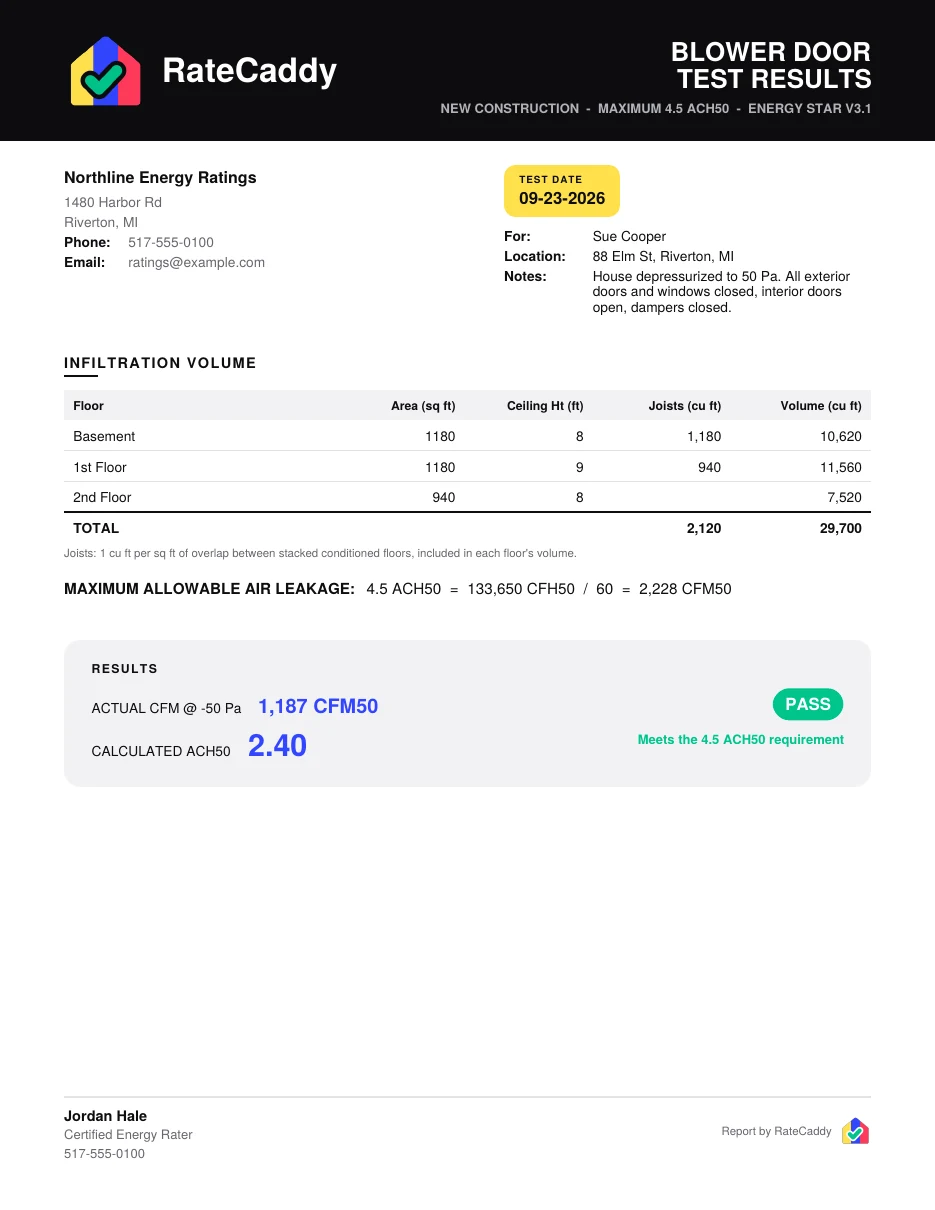 Blower Door Test ResultsFrom the blower door screen. Company header, test date, volume table, limit, actual, ACH50, PASS or FAIL band, photo.
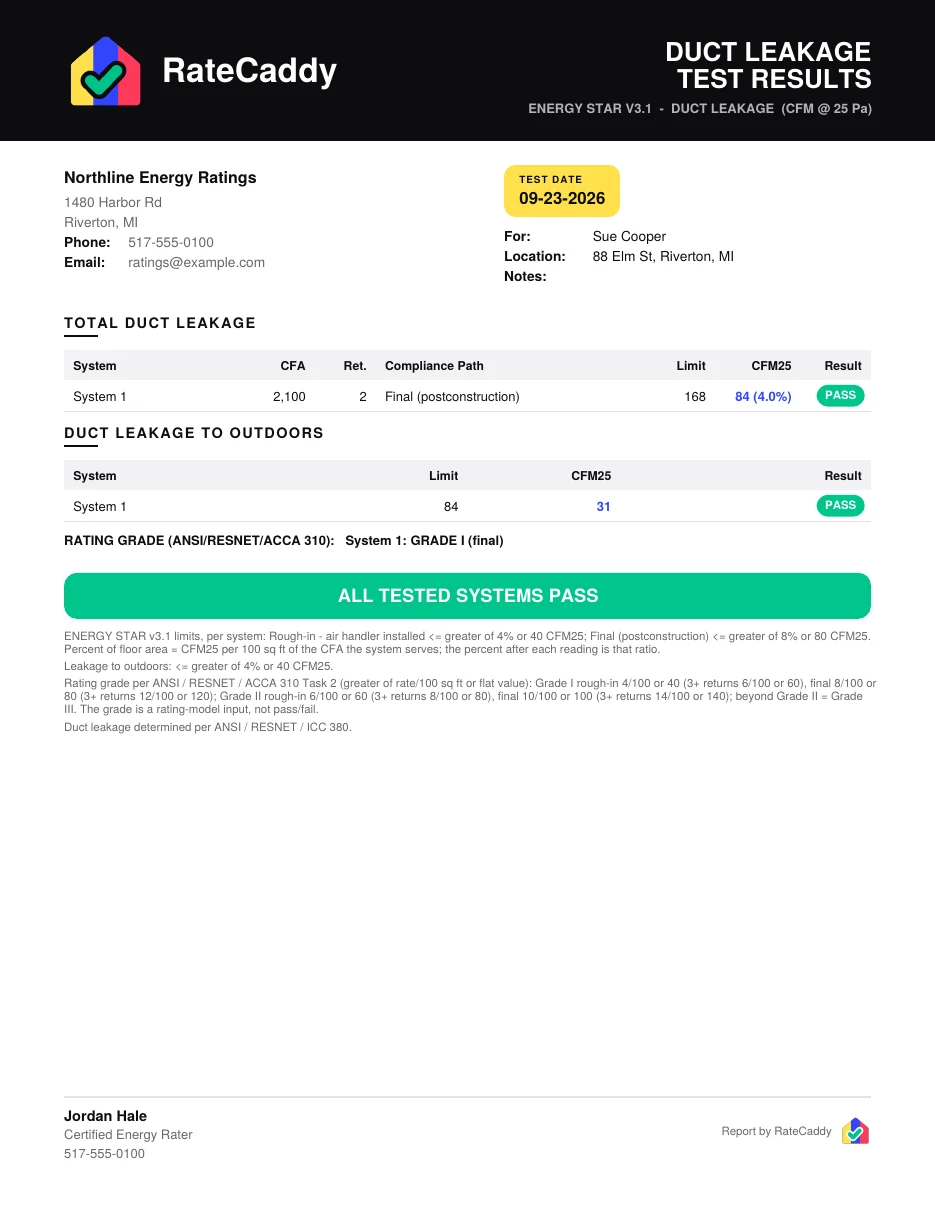 Duct Leakage Test ResultsFrom the duct screen. Per system rows, outdoors, ANSI 310 grade, overall result, reference limits.
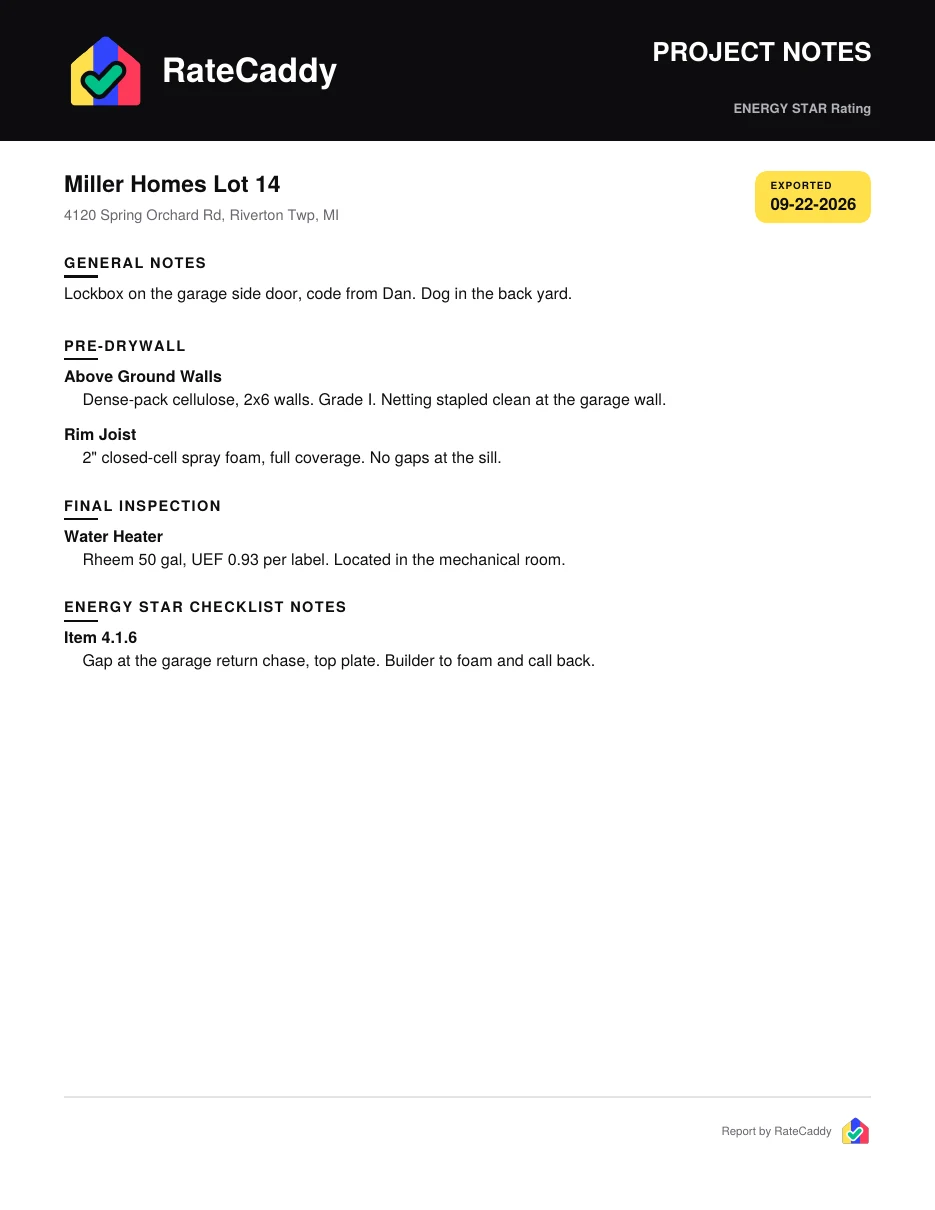 Project NotesAutomatic, inside the project ZIP. Project notes, measure notes by stage, ENERGY STAR item notes.
The ENERGY STAR export is the filled official EPA form; see the checklist tutorial.
Same colors on paper.Black is structure and text, yellow is the test date, blue is what was measured or shot, green is pass, red is fail, gray is a reference note. A builder who has seen one report can read the next one from across the room.