Any list. Any trade.
RateCaddy was built for energy raters, and the rating features stay rater-specific. But the core of the app is general: a list of things to photograph, one or two visits with names you choose, a tile per thing, a note per thing, and an export that names everything for you. That fits a lot of jobs that are not energy ratings.
How it works for a different job
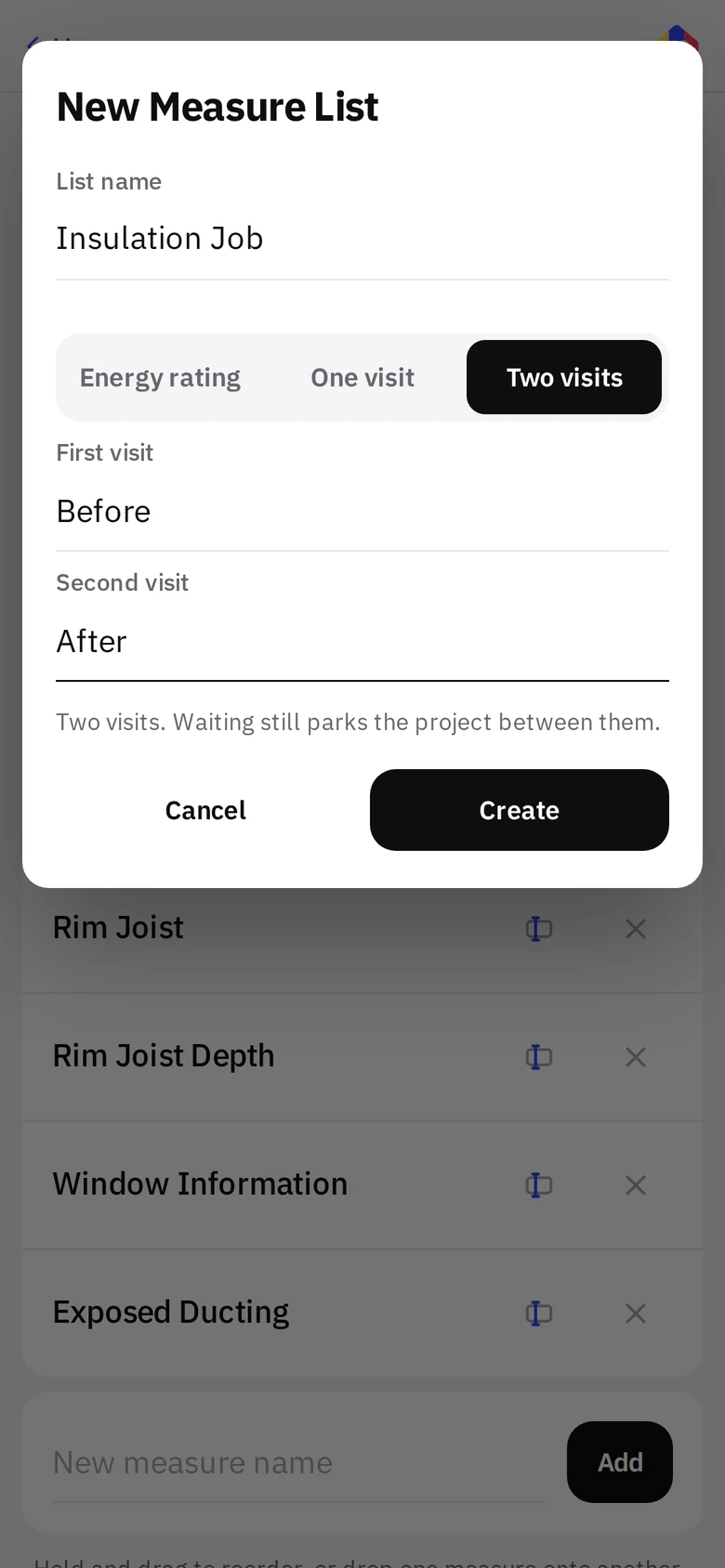
Make a measure list in Settings, say whether the job is one visit or two and what the visits are called, then start a project on it. The list becomes the project type. Everything else is the same app.
- Write the list once.
SettingsMeasure listsNew. Name it, pick One visit or Two visits, name the visits (Inspection; or Before and After), then add measures in the order you walk the job. Drop one onto another to make a group with a heading. - Start a project on that list.
On New Project the list appears under Project Type. Pick it and the form asks for one date per visit. Name, address and contact work the same for any trade. - Shoot from the tiles.
The blue camera on each tile puts the photo under that heading. Add a note per tile where the picture is not enough. - Export.
A ZIP with a folder per stage, files named by measure, and a notes PDF. Send it from the phone.
A home inspection list, on the wall
Real screens from a project on a one-visit Home Inspection list. Nothing about the app changed; only the words did.
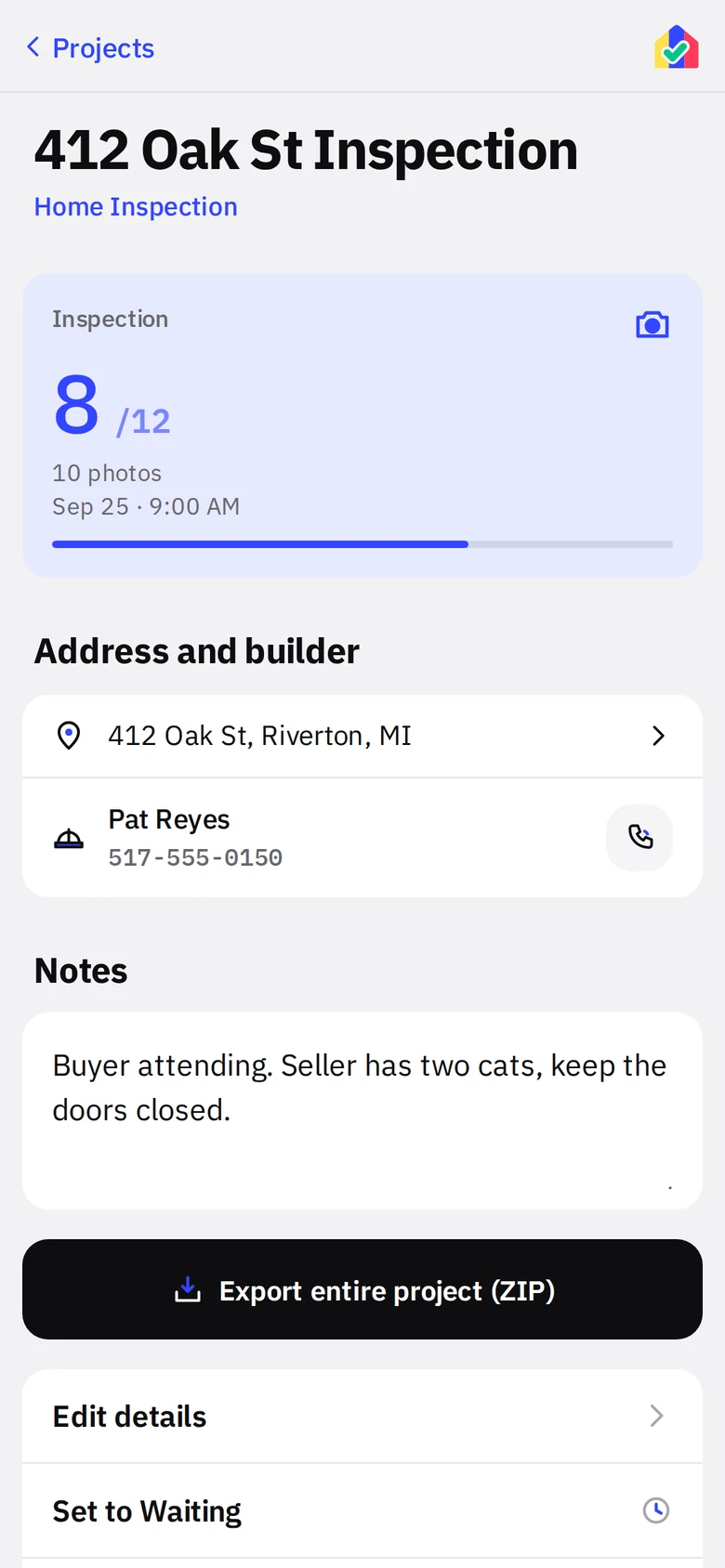
- 1Project typeThe project reads Home Inspection, the name of the list it was made from, in the Projects list and under the title here.
- 2One visit, one tileA one-visit list gives the project a single full-width tile named for the visit. Two-visit lists get two tiles, like a rating project.
- 3Same project screenAddress, contact, notes, export, Waiting and completion all work exactly as they do on a rating.
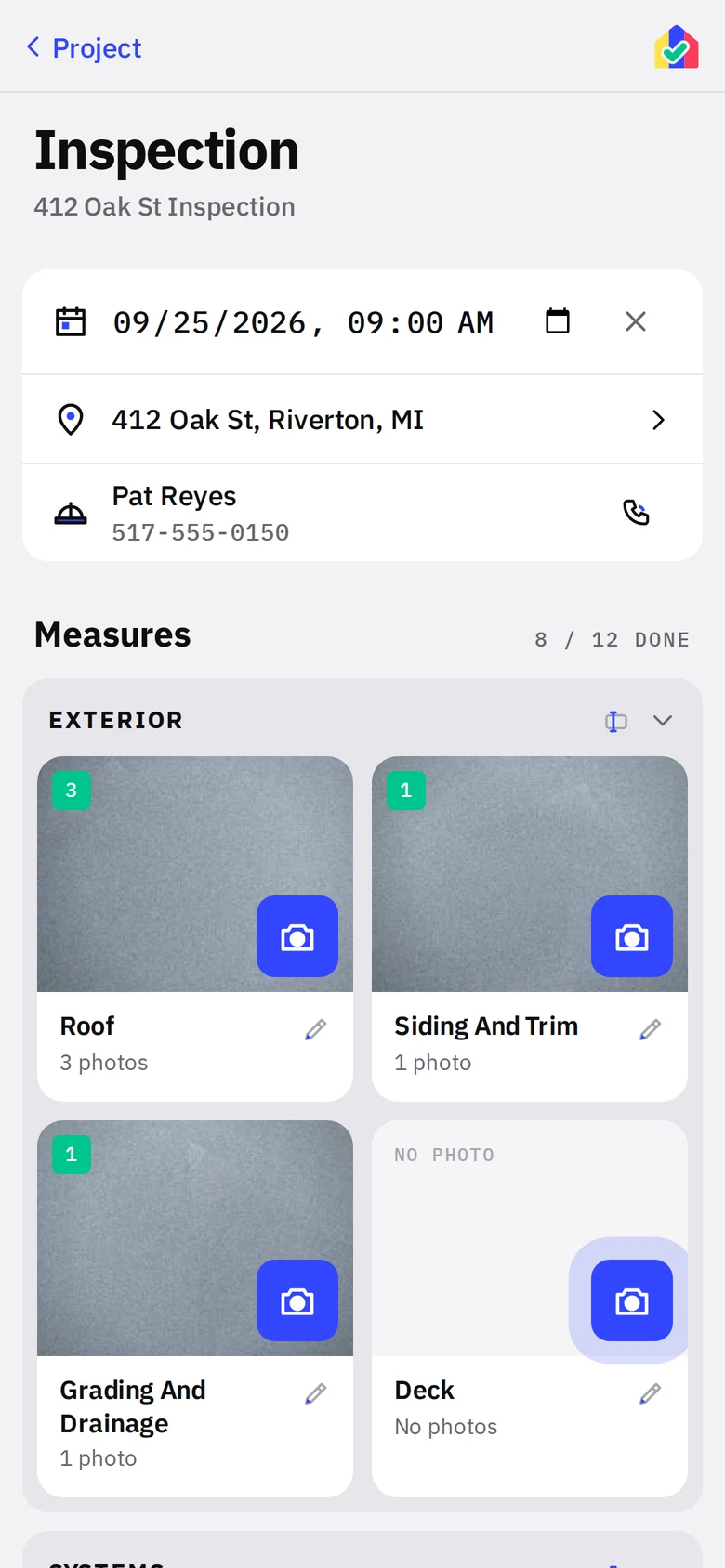
The wall
- 1Your headingsExterior, Systems, Interior. Groups collapse so a long list stays walkable.
- 2Your measuresRoof with three photos, Siding and Trim with one. The count badge and green state work the same.
- 3Progress8 of 12 shot. The office can see at a glance what is left.
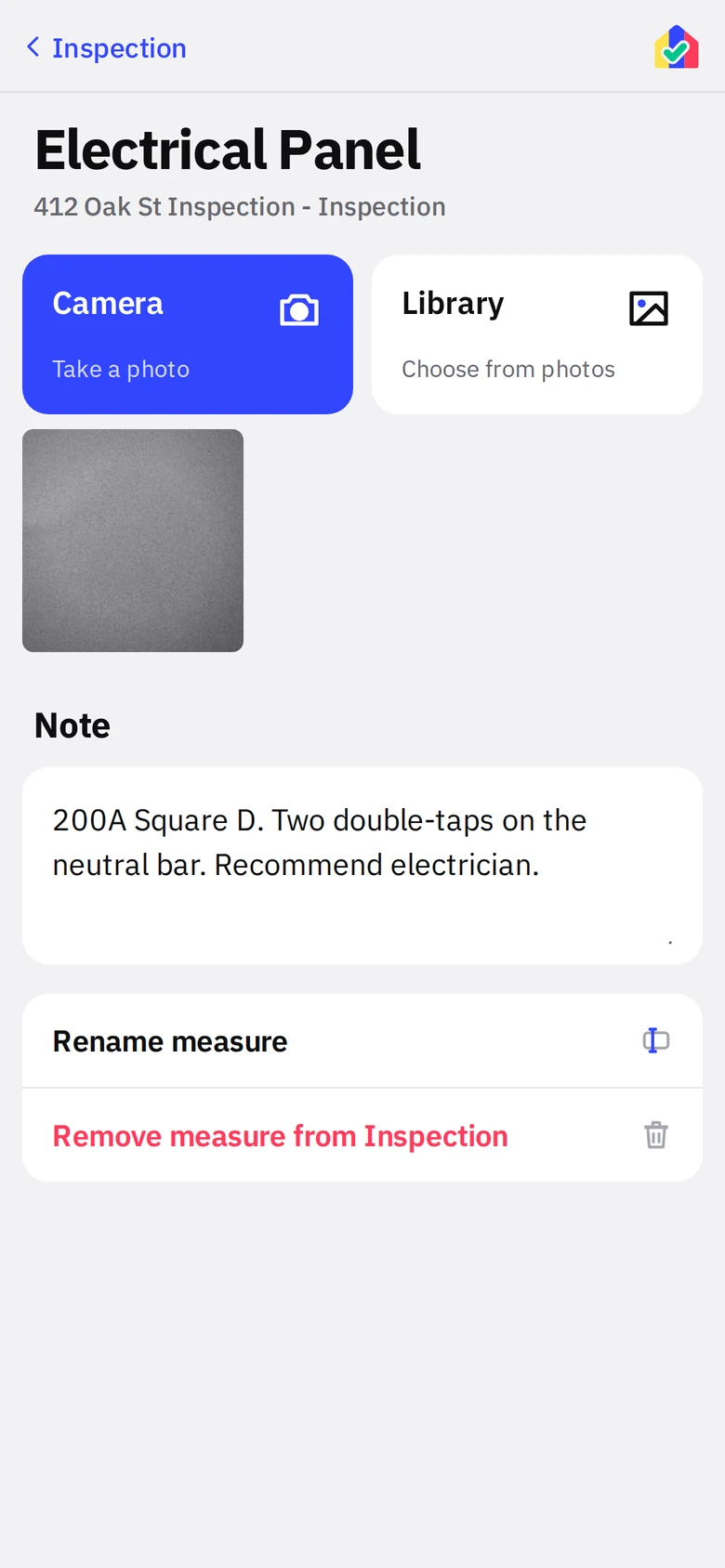
A note where the photo is not enough
- 1Note per item"200A Square D. Two double-taps on the neutral bar. Recommend electrician." It prints in the notes PDF under Electrical Panel.
- 2CamerablueMore photos of the same item go on the same tile.
Where it fits
Example lists. Each of these is a few minutes of typing in Settings.
Home inspectors
Roof, siding, grading, panel, water heater, attic, each bath. Group by area, walk the house in order, hand the buyer a ZIP sorted by system with your notes in a PDF.
Insulation contractors
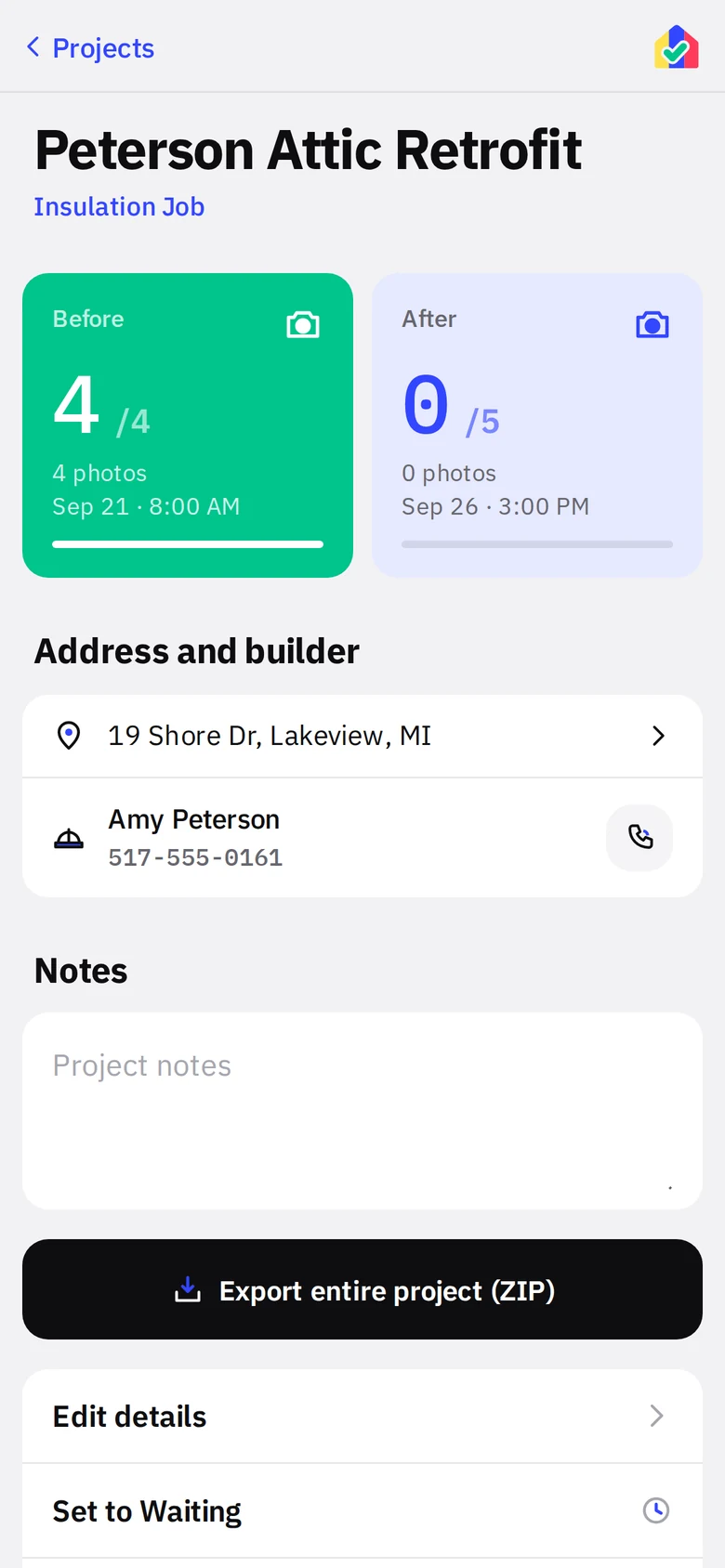
Before and after on every cavity, depth markers in the attic, rim joist detail. The crew lead shoots, the office exports, the builder gets proof of install without anyone renaming a file.
QA providers and field reviewers
A review list per program. The reviewer shoots the same measures the rater did, notes go item by item, and the export drops into the rater’s file with matching names.
Insurance and claims
Exterior elevations, damage close-ups, serial plates, meter readings, each under its own heading. One project per claim, one ZIP per claim.
Property managers
Move-in and move-out condition by room. Two stages already exist, so Before and After are built in. Notes per room, one export per unit.
Marketing and before/after
Renovation and retrofit teams that need matched before and after shots by location. The photo wall keeps the pairs together and the export keeps them named.
Solar, HVAC and electrical installers
Site survey photos in the order the design team needs them: panel, roof plane, attic run, disconnect, meter. The same list on every survey means the office never asks "which one is the panel."
Code and third-party inspectors
Framing, insulation, mechanical rough, final. Use the two stages as any two visits and put the checklist items in as measures.
What carries over, and what does not
Honest list. The app is rater-shaped in a few places you will notice.
- Carries over: photo wall, groups, notes, drag to reorder, rename, project contacts, Maps link, scheduling, Up Next, Waiting, ZIP export named by measure, notes PDF, backup and restore, offline operation.
- Yours to name: the list, the project type (it is the list name), and the visits. One visit or two, called whatever your trade calls them. A Visits row in Settings renames them later.
- Rater only: the ENERGY STAR checklist, blower door and duct leakage tests, and code requirements. They live on the Energy Rating and Performance Testing project types and stay out of your way on a visits list.
Two visits is the ceiling today. If your trade needs three, say so.
Try it with your own list
Write your list once. Every job after that files itself. The first month is free on the App Store and Google Play.